
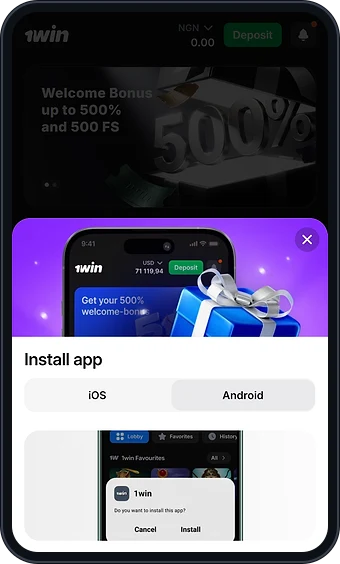
Two tabs, a reward line and two blanks
Test passport
- Checked
- 14 Oct 2026 (iPhone, Nigerian IP), after checks on 8 and 13 Oct
- Device
- Phones only: Android Chrome (8 and 13 Oct), iPhone Safari (13 and 14 Oct)
- What we did
- Read "1win for Android" and "1win for iOS" in the menu and the "Install app" window on 14 Oct; did not install
- What we did not do
- No app installed; no deposit, withdrawal, document upload or bet made
Tap either menu item and a window titled “Install app” opens, split into an Android tab and an iOS tab. Both menu items show “200 Points bonus for installing the app”. Beyond the steps, the window is thin. Neither tab states a lowest supported system version, neither gives a file size, and nothing on those screens told us what the Points are worth.
| Parameter | What 1win.ng showed |
|---|---|
| Android entry | “1win for Android” plus a QR code |
| iPhone entry | “1win for iOS” plus Safari steps |
| App Store route | Absent from the window |
| Reward for installing | 200 Points, value unexplained |
| Lowest system version | Not stated |
| File size | Not stated |
Android: three steps, as 1win.ng lists them
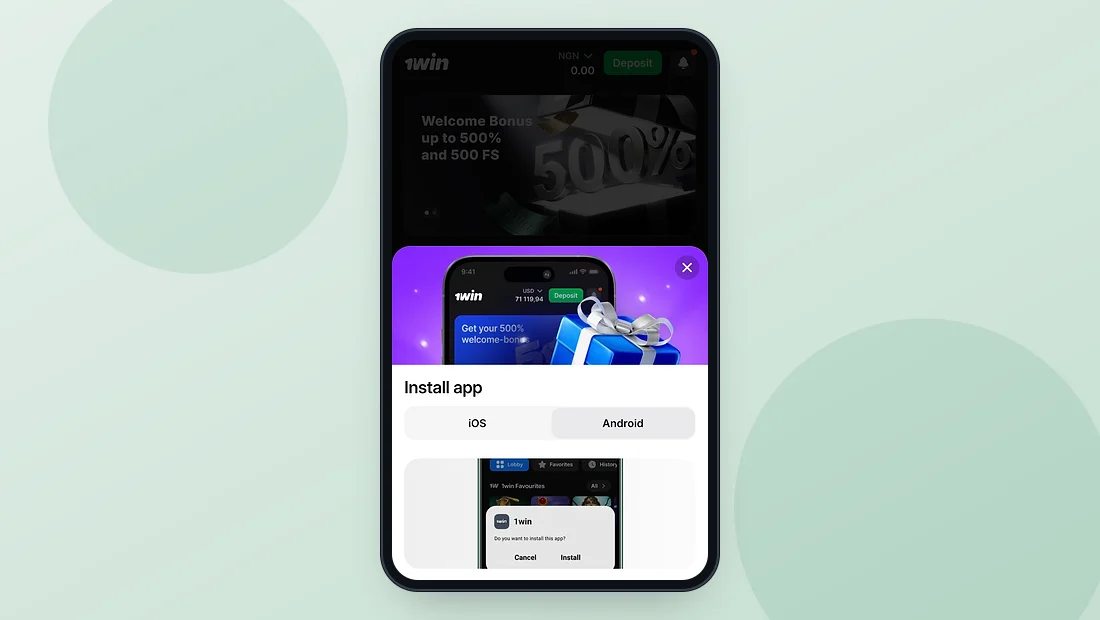
The Android tab has three lines. One: “Scan the QR code”. Two: put the app on your smartphone through the link the code opens. Three: “Install it”. The code is only useful when you are reading 1win.ng on a laptop; on the handset you begin at line two.
No one on our team installed it, so we can report neither the permissions it requests nor the way a 1win app update arrives. Two rules apply anyway. Take the app only from the install window on 1win.ng, never from a link passed around in a chat or a group. And say no to any permission a betting screen has no use for, such as your contacts or your SMS.
The 1win app for iOS: Safari and five taps
The iOS tab lists five lines, in 1win.ng’s wording:
- “Scan the QR code”
- “Copy the link and open it in Safari on your smartphone”
- Tap “Share”
- Select “Add to Home Screen”
- Tap “Add”
The instructions are written for Safari only. Chrome or another browser on the iPhone may lack the same menu, so stick to Safari.
What the manifest tells you
On 13.10 we read the web app manifest that 1win.ng publishes. Its fields: name “1win”, display “standalone”, start page “/”. So the icon launches 1win.ng full-screen, with the address bar hidden. Underneath it is still the mobile site, which means it changes when the site changes and never waits for an update.
About 1win app screens: the mobile site in a frame
Because the iPhone version is the mobile site, the screens our team checked in a browser are exactly what the icon opens. Along the bottom bar run Menu, Home, Casino, Free money and Sports, and the colours start dark. Sports splits into six tabs, from Top and Live through Upcoming, TOP Bets and Esports to Bet history. Prices come as decimal odds, and we spotted no way to switch format.
How fast it opened on 14.10
Our tester measured the home page on an iPhone through a VPN. The biggest element appeared after 5.2 seconds on the first visit and 3.2 seconds on the second, and the first content after 0.8 seconds. A weak mobile signal will add to all three.
The 1win betting app as a calculator
One tap on a price sends it to the slip, even before you log in. The slip offers three tabs, Single, Multiple and Series. Under them sit a box for the stake, the “MAX Possible win” figure and the “Place a bet” key. That order lets you finish the sum before any commitment.
On a single, the possible win ought to be stake × odds. If the figure differs, ask why before you confirm. The price here is made up for the example.
Worked example · illustration, not a tip
- Stake
- ₦3,400
- Odds
- 1.65 (example price, single)
- Result
- selection wins; profit ₦3,400 × 0.65 = ₦2,210
- Return
- ₦3,400 × 1.65 = ₦5,610
When the slip holds three legs
Worked example
A Multiple multiplies its prices. Take three example legs at 1.40, 1.55 and 1.90: 1.40 × 1.55 × 1.90 = 4.123. A ₦1,000 stake then returns ₦4,123 only if every leg lands; one miss and the whole stake is lost. The slip also showed a win bonus rising in steps, the lowest 7% and the top one 15%, for adding events. Each leg added for the bonus is one more result that can sink the slip. We go through each tab in the Single, Multiple and Series tabs explained.
Live, login and help from the phone
The Live tab held roughly 185 events on 14.10, with set-by-set scores, a match tracker and “+N” for more markets. Live prices shift, so read the slip once more right before you confirm. A TV icon marks streams, which open only after login. We found no cash-out and no bet builder.
To sign in you pick a Phone or an Email tab; each wants a password, and social accounts are not offered. Lost passwords are reset through a code that goes to your phone or your e-mail, according to the site. When an install goes wrong, open Menu, then Support 24/7, then Online chat; our guide to reaching 1win’s chat agents has the details.
The same icon as a 1win casino app
Two buttons along from Sports, the bottom bar opens the casino lobby. Used as a 1win casino app or a 1win game app, the icon opens the same lobby as the mobile site, nothing more; its contents are counted in the lobby figures from our 14.10 check.
| Item | What 1win.ng showed | Status |
|---|---|---|
| Menu entries for both systems | Present, each with the Points line | Seen on site |
| iPhone steps | Five lines, quoted above | Seen on site |
| Manifest fields | Standalone display, start at “/” | Seen on site |
| Android permissions, updates | Not observed, nothing installed | Not checked |
| Value of the 200 Points | Not given | Not checked |
Pros
- Five short Safari steps, with no store account needed
- You can fill the slip and read its figure while logged out
- Busy Live tab with a tracker and extra markets per event
- Lost password handled by a code to phone or e-mail
Cons
- The install window gives no system version and no file size
- Nothing on Android permissions or how updates arrive
- No cash-out and no bet builder found
- Slow first load in the tester’s measurement
Score for the 1win app
7.0/10
Desk score · 1win.ng checked 8, 13 & 14 Oct 2026 · how we score
On iPhone, the route is short and plainly worded; on Android, the app is offered with very little explanation around it. All the betting screens our checks found work on the phone, and the slip shows its figure before you commit a naira. The score drops for the blanks in the install window and for the absent cash-out.
It suits a bettor who wants 1win.ng behind one icon and likes to check a slip’s sum before placing it.
Who should skip it: someone who wants the size and permissions of an app in writing first. The phone browser opens the same screens and installs nothing.
Get the Android app from 1win.ng18+ · T&C Apply · operator named in the 1win.ng footer: BID Entertainment Limited
What changed on this page
- Page written for 1winsbet.net.ng from our checks of 1win.ng on 8, 13 and 14 October; every 1win figure is marked by source.
Found a mistake? Write to [email protected] and we will date the fix here.
FAQ
Can an iPhone get 1win from the App Store?
The install window does not send you there. Instead, 1win.ng offers a home-screen web app that Safari adds in five taps.
Where is the Android version on 1win.ng?
In the main menu, under "1win for Android". A window with a QR code and three steps opens.
Can I fill the slip while logged out?
Yes. We put a price into the slip with no account at all; logging in is needed only when you place the bet.
How does the app get updated?
The iPhone icon is the live site, so it has nothing to update. For Android, the install window does not mention updates.
What are the 200 Points worth?
The menu promises them for installing, yet nothing we saw said what they buy or when they are credited.
Learn more about 1win Withdrawal in our dedicated guide.